

We’ve all experienced it – deeply immersed in our favorite new app, only to be abruptly interrupted by an irritating pop-up asking us to rate and review the app on the App Store. While user feedback is crucial for developers, the timing and frequency of these prompts often result in a less-than-ideal user experience. Acknowledging this, Apple provides an option to disable these intrusive in-app rating and review request pop-ups on iPhone, iPad, and Mac. Continue reading to discover how to disable in-app rating requests.
Turning Off App Rating Pop-up on iPhone
To rid yourself of these intrusive prompts, follow these steps:
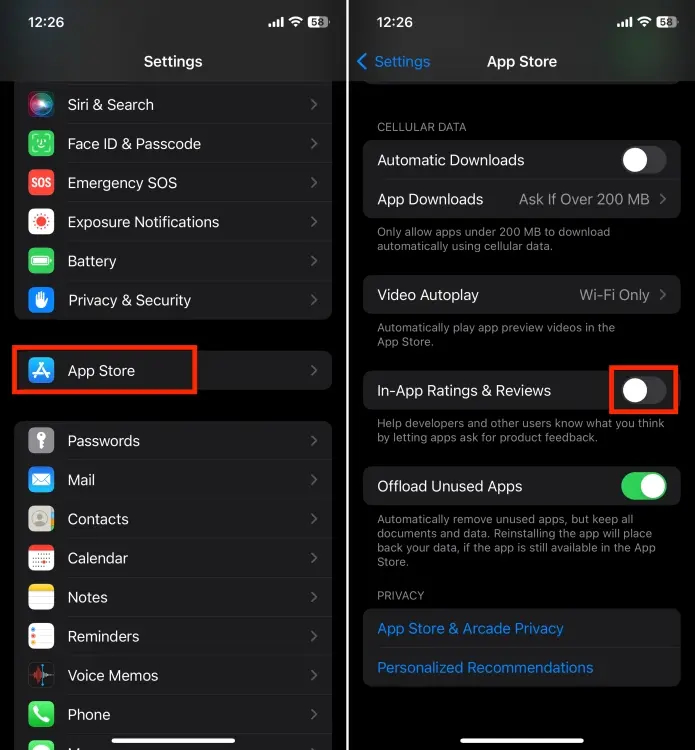
- Launch the Settings app on your iPhone.
- Scroll down and select “App Store.“
- Locate and tap the toggle switch for “In-App Ratings & Reviews” to turn it off.
Turning Off App Rating Pop-up on Mac
- Launch the App Store on your Mac.
- Click on “App Store” in the top menu bar.
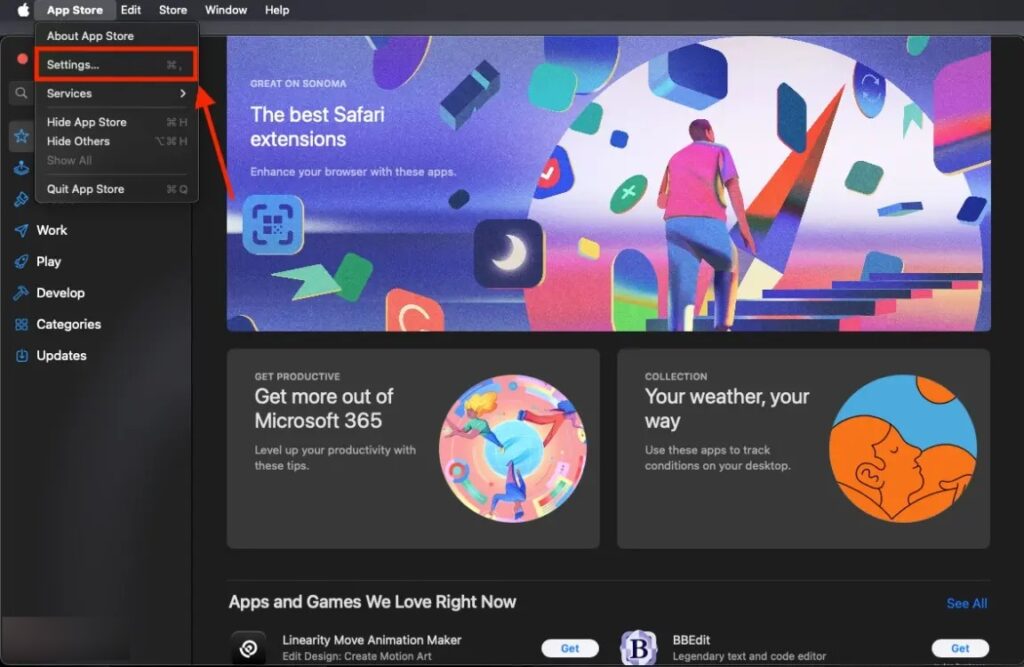
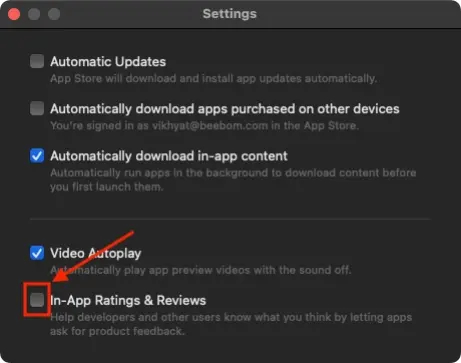
- Select “Settings” from the drop-down menu to open a new pop-up window.
- Click on the checkbox for “In-App Ratings and Reviews” to turn it off.
With the in-app ratings and reviews feature disabled, you won’t face interruptions during crucial moments in your favorite game or important tasks in productivity apps.


